
Building the Ultimate Gaming PC: A Comprehensive Guide
In the ever-evolving world of gaming, having the right hardware is crucial to achieving the best performance and experience. Whether you’re a casual gamer or a hardcore enthusiast, building your own gaming PC can provide you with unparalleled customization and potential. This article will guide you through the essential components, considerations, and steps to create the ultimate gaming rig tailored to your needs.
Understanding the Components
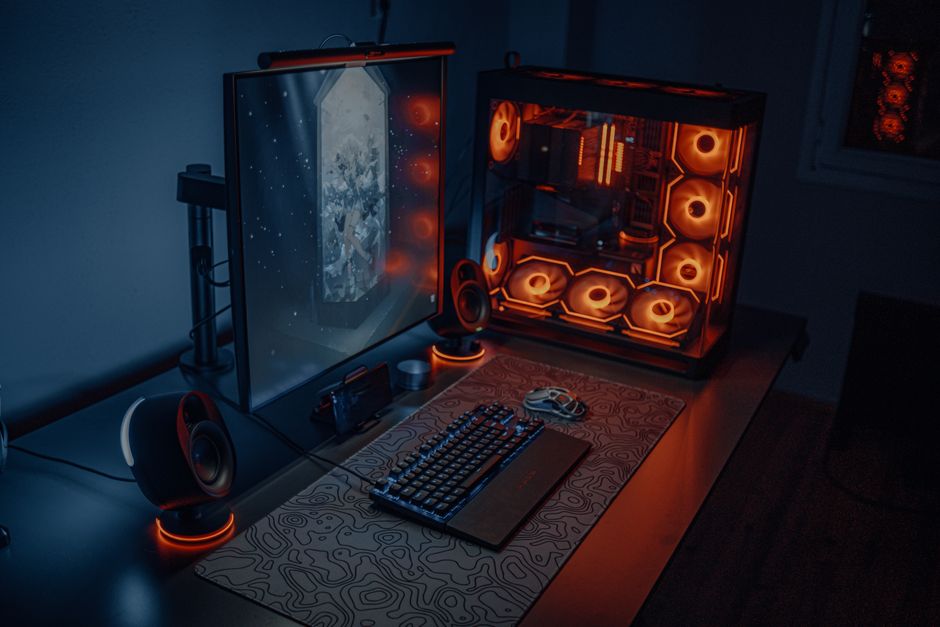
Before diving into the build process, it’s important to understand the key components that make up a gaming PC. Each part plays a vital role in overall performance and can significantly impact your gaming experience. The main components include the CPU, GPU, RAM, motherboard, storage, and power supply.
The CPU (Central Processing Unit) is often referred to as the brain of the computer. It processes instructions and manages tasks, making it a critical component for gaming performance. For gaming, a multi-core processor is recommended, as it can handle multiple tasks simultaneously without lag.
The GPU (Graphics Processing Unit) is arguably the most important component for gaming. It renders images, animations, and video for the display, and a powerful GPU ensures smooth graphics and high frame rates. Popular options include NVIDIA’s RTX series and AMD’s Radeon series.
Next, RAM (Random Access Memory) is essential for multitasking and running demanding applications. A minimum of 16GB is often recommended for gaming, but 32GB can provide extra headroom for future-proofing.
Choosing the Right Parts
Once you understand the components, the next step is selecting the right parts for your build. This can be an overwhelming process given the multitude of options available. One effective way to simplify this is by using a gaming PC builder, which allows you to compare compatibility, prices, and user reviews.
Start with the CPU and GPU, as these two components will heavily influence the performance of your system. Ensure that they are compatible with your chosen motherboard. When selecting a motherboard, consider the number of expansion slots and ports you may need in the future.
Additionally, don’t overlook the importance of storage. Solid State Drives (SSDs) offer faster load times compared to traditional Hard Disk Drives (HDDs), greatly enhancing your gaming experience. Many gamers opt for a combination of both, using an SSD for the operating system and frequently played games, while storing other files on an HDD.
Assembling Your Gaming PC
With all your parts selected, it’s time to assemble your gaming PC. Start by setting up a clean workspace with ample lighting. Begin by installing the CPU onto the motherboard, followed by the RAM and GPU. Next, mount the motherboard into the case, ensuring that the I/O shield is properly aligned.
After securing the motherboard, install your storage drives. If you’re installing an SSD, be sure to check if it requires special mounting. Finally, connect the power supply to all components, making sure to manage your cables neatly to ensure optimal airflow.
Once everything is connected, double-check all connections before powering on the system. If successful, you should hear the familiar sounds of your new gaming rig coming to life!
Installing the Operating System and Drivers
After building your PC, the next step is installing the operating system. Windows is the most popular choice among gamers due to its compatibility with a wide range of games and software. You can install Windows via a USB drive or DVD.
Once Windows is installed, it’s crucial to update all drivers, particularly for your GPU and motherboard. This ensures optimal performance and stability while gaming. You can find drivers on the manufacturers’ websites or use software tools that automate this process.
Additionally, consider installing monitoring software to keep track of your system’s temperatures and performance metrics. This will help you ensure that your gaming PC runs smoothly during long gaming sessions.
Optimizing Your Gaming Experience
Now that your gaming PC is up and running, it’s time to optimize your gaming experience. Start by adjusting the in-game settings to achieve the best balance between performance and visual quality. Most modern games offer extensive graphics settings, allowing you to tailor the experience to your hardware capabilities.
Furthermore, consider investing in additional peripherals such as a mechanical keyboard, gaming mouse, and a high-refresh-rate monitor. These can greatly enhance your gaming experience and performance.
Lastly, keep your system clean and updated. Regularly check for software updates, clean dust from the components, and monitor system performance to ensure longevity and peak performance.
Conclusion
Building a gaming PC is an exciting venture that can lead to a significantly enhanced gaming experience. By understanding the components, choosing the right parts, and following the assembly process, you can create a powerful machine tailored to your specific gaming needs. With the right care and optimization, your gaming PC will serve you well for years to come, allowing you to enjoy the latest titles in stunning detail.